
NBI CLEARANCE · PHILIPPINES
NBI Clearance Online Appointment 2026 Complete Step-by-Step Guide
Booking an NBI clearance online appointment sounds simple, but it can trip you up if you do not know what to expect. This guide walks you through everything from start to finish — whether you are applying for the first time, renewing an expired clearance, or hunting for an open slot.
Which describes you?
First-time applicant
New to the process? Start with the full step-by-step walkthrough.
Renewing
Your clearance expired? Renew it online in a few steps.
OFW / abroad
Applying from outside the Philippines? See the renewal and abroad options.
First-time jobseeker
You may qualify for a free clearance under RA 11261.
Missed appointment
Missed your slot? Learn how to reschedule or rebook.
HIT status
Got a HIT? Understand what it means and what to do next.
How do I book an NBI clearance online appointment?
Go to clearance.nbi.gov.ph and create an account (or log in). Fill out your personal details, pick the valid ID you will present, choose your branch and appointment date, then pay the ₱130 fee through an accredited channel. Save your reference number, then appear at the branch on your scheduled date with your ID, a photocopy, and your appointment confirmation.
Table of Contents
What Is NBI Clearance and Why Do You Need It?
NBI Clearance is an official document issued by the National Bureau of Investigation in the Philippines. It certifies that a person has no pending criminal case or derogatory record in the NBI database at the time of application. Employers, government agencies, banks, and immigration offices commonly require it before processing your application.
You will need NBI clearance for:
This Clearance is valid for one year from the date of issuance. Because it expires annually, many Filipinos find themselves applying or renewing it every year.
The NBI clearance also serves as a form of identification, as it carries your photo, full name, and a unique QR code that can be scanned to verify its authenticity. While it is not classified as a primary government ID, many institutions accept it as a valid supporting document.
How to Book an NBI Online Appointment
If you just need the basic steps fast, here they are:
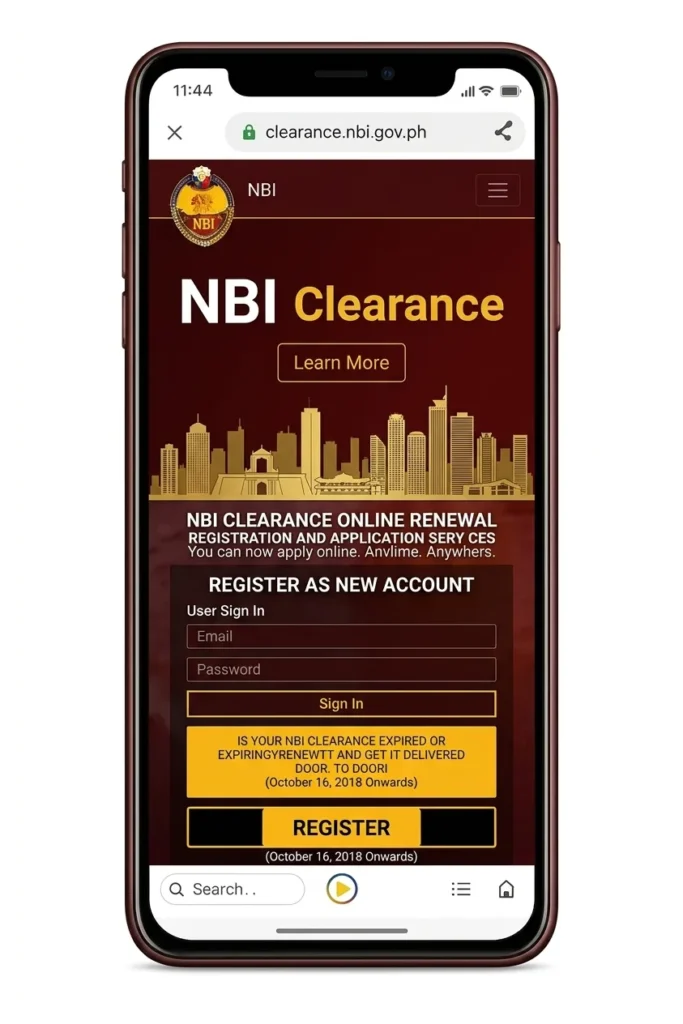 1
1Go to clearance.nbi.gov.ph
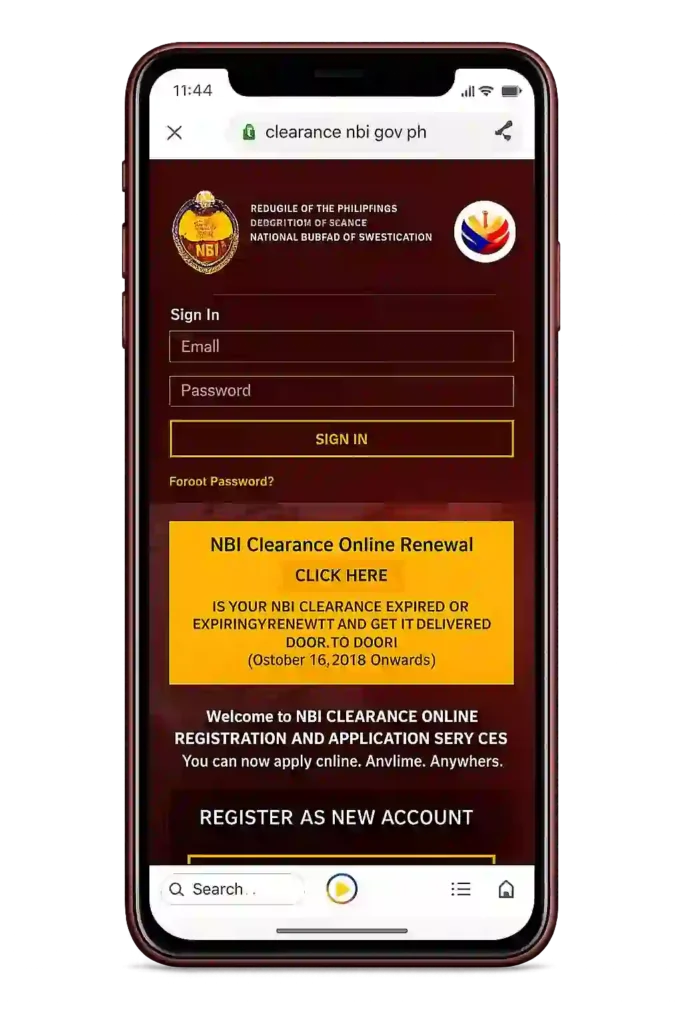 2
2Create an account or log in
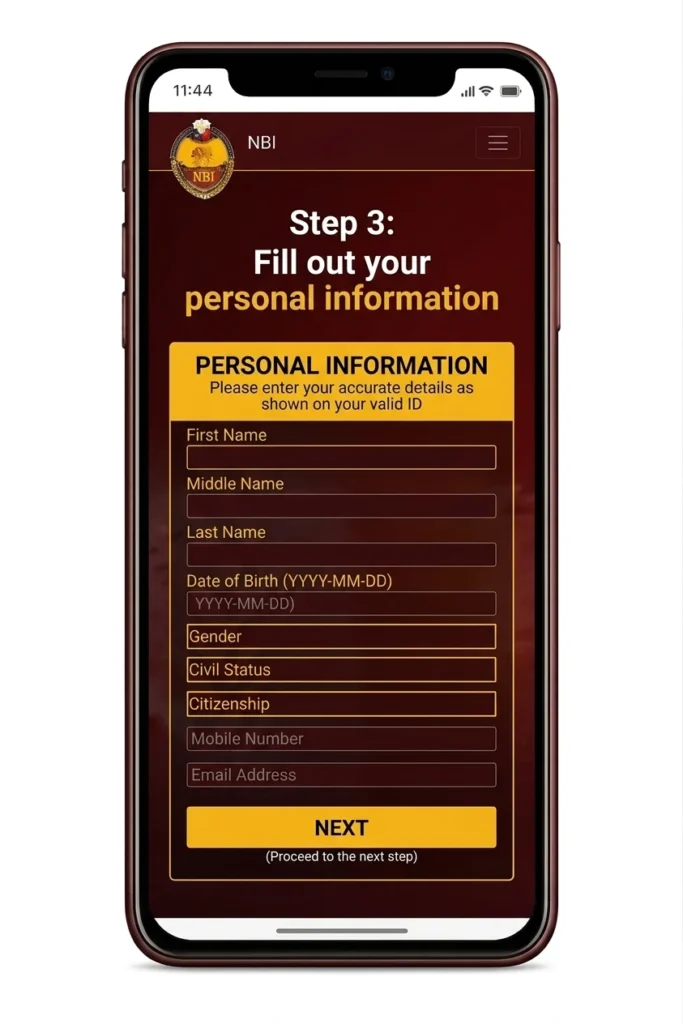 3
3Fill out your personal information
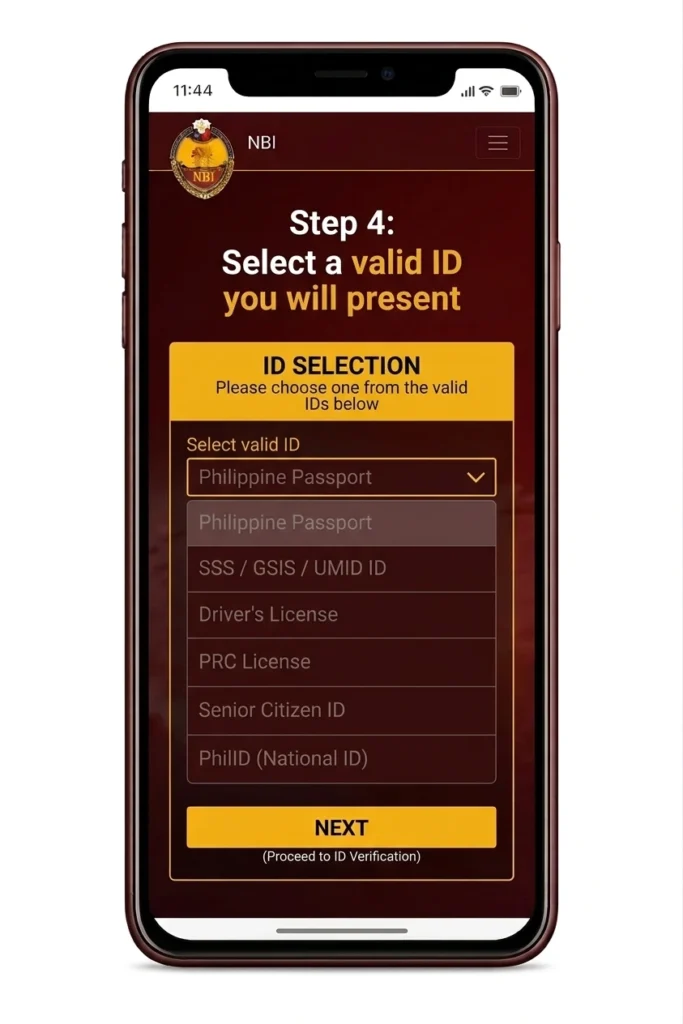 4
4Select a valid ID you will present
 5
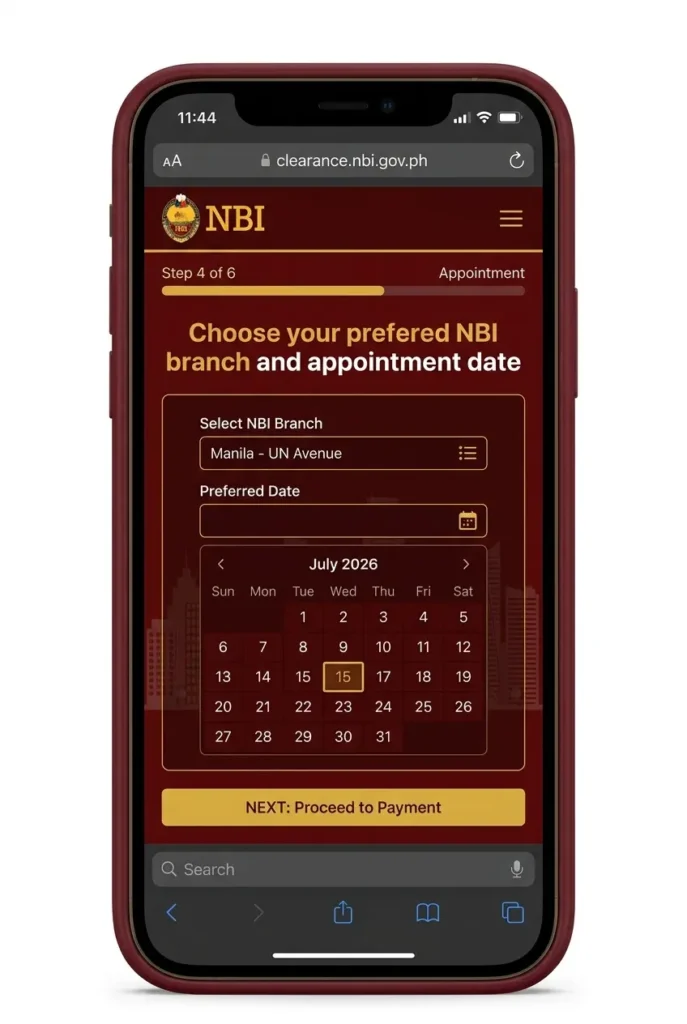
5Choose your preferred NBI branch and appointment date
 6
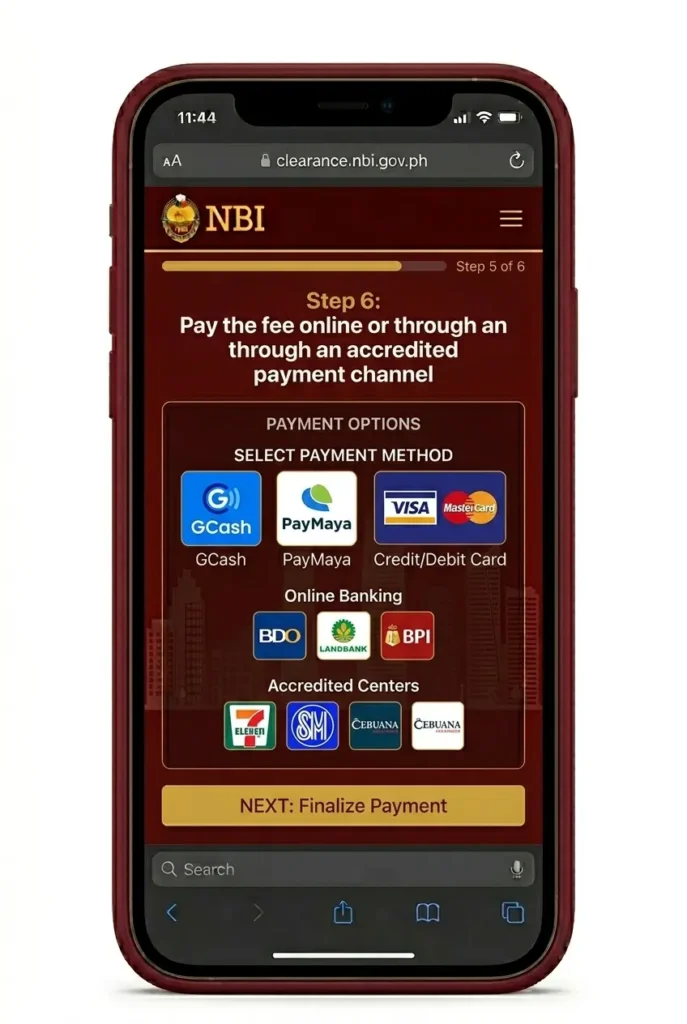
6Pay the fee online or through an accredited payment channel
 7
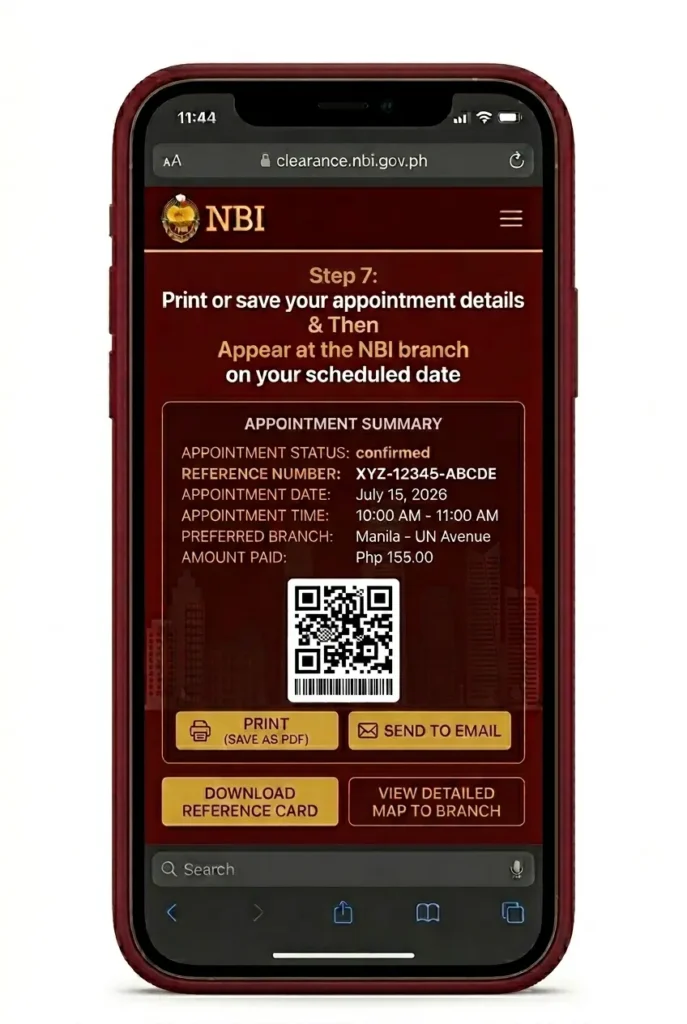
7Print or save your appointment details
 8
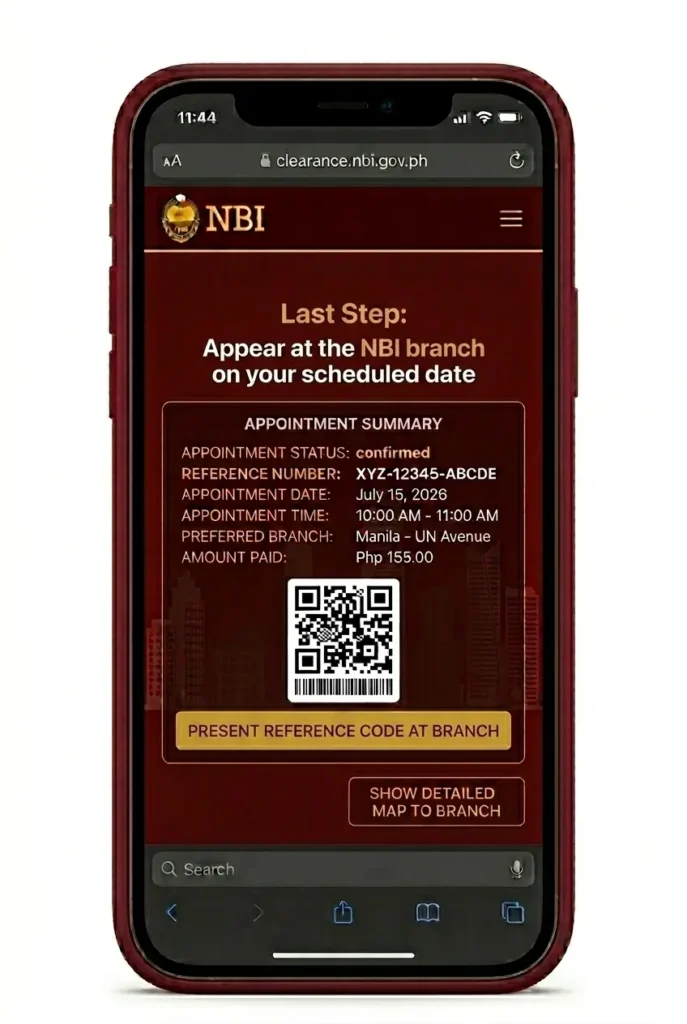
8Appear at the NBI branch on your scheduled date
NBI Clearance Requirements Before You Book
Regular applicants need just three things:
- 1one valid government-issued ID (bring the original plus a photocopy)
- 2the reference number from your online application
- 3your payment confirmation or official receipt
Going to the branch unprepared is one of the most common reasons applicants get turned away.
First-time job seekers may get the clearance free under Republic Act 11261. You must be a Filipino citizen applying for employment for the very first time, and you will need a barangay certificate confirming your first-time jobseeker status. Note that the exemption can only be used once.
The NBI accepts one valid ID with your photo and signature, including:
Make sure the name and details on your ID exactly match your online application — any discrepancy can cause problems at the branch.
How to Get an NBI Online Appointment (Step-by-Step)
Go to the Official NBI Website
Open your browser and go to https://clearance.nbi.gov.ph. This is the only official website for NBI clearance online appointment and registration. Be careful with fake or unofficial sites that look similar — always double-check the URL before entering your personal information.
Step 1 of 9Create an Account or Log In
If you are a new applicant, click the registration button and fill in your email address, mobile number, and a password. If you already have an existing account from a previous application, simply log in using your credentials. Keep your login details somewhere safe because you will need them again when you renew.
Step 2 of 9Verify Your Account via OTP
After registering, the system will send a one-time password (OTP) to your mobile number or email. Enter the OTP within the time limit to verify your account. If you do not receive the OTP, check your spam folder or request a resend. Make sure your mobile number is active and can receive SMS messages.
Step 3 of 9Complete Your Applicant Information Form
Fill in your personal details accurately. This includes your full legal name, date of birth, place of birth, address, and civil status. Double-check everything before moving forward the NBI is strict about matching your application details with your ID. Errors at this stage can cause a HIT flag or delays in releasing your clearance.
Step 4 of 9Apply for Clearance and Select Your Valid ID
Click “Apply for Clearance” on your dashboard. The system will ask you to select which valid ID you will present at the branch. Choose the ID you actually plan to bring. The information on that ID must match your application form exactly.
Step 5 of 9Choose Your NBI Branch and Appointment Schedule
Select the NBI branch nearest to you or most convenient for your schedule. The system will show available appointment slots for that branch. Slots fill up fast, especially in major cities like Manila, Cebu, Davao, and Quezon City. If your preferred branch has no available slots, check back the next day as new slots are released regularly.
Step 6 of 9Choose Your Payment Method and Pay the Fee
Once you confirm your appointment, you will be directed to the payment screen. Choose your preferred payment option GCash, Maya, BancNet, 7-Eleven CliQQ, Bayad Center, over-the-counter bank payment, or online banking. Complete the payment before your appointment date. Your appointment is not fully confirmed until payment is made.
Step 7 of 9Save or Print Your Appointment Details
After payment, the system will generate your appointment details and reference number. Save a screenshot or print a copy of this page. You will need to present this at the NBI branch on your appointment day. It is also a good idea to take note of your reference number separately.
Step 8 of 9Appear at the NBI Branch on Your Appointment Date
Go to your chosen NBI branch on your scheduled date and time. Arrive at least 15 to 30 minutes early to avoid any rush. Bring your printed or digital appointment confirmation, your valid ID, and a photocopy of that ID.
Step 9 of 9How much time each step takes
These are typical times based on how the process usually goes. Your experience can vary by branch, day, and queue — mid-week mornings are usually the fastest.
| Step | Typical time |
|---|---|
| Registering an account | 5–10 min |
| Email/mobile OTP verification | 1–2 min |
| Filling out the application form | 10–15 min |
| Choosing branch, date, time | 3–5 min |
| Paying the fee | 5–10 min online, OTC up to 24h to post |
| Branch visit (biometrics + photo) | 20–40 min |
| Release — no HIT | same day |
| Release — with HIT | 5–10 working days |
Common problems and how to fix them
Something not working? Find your problem below — most of these have a simple fix and don’t require starting over.
| Problem | What to do |
|---|---|
| Payment not reflected | Wait up to 24 hours — over-the-counter channels post slower than e-wallets. Check your reference number in your NBI account’s transaction history and keep your receipt. Never pay twice for the same reference number. |
| Didn’t receive the OTP | Check your spam/junk folder, confirm the mobile number you entered, and wait 2 minutes before requesting a new code. OTP codes expire after a few minutes. |
| No appointment slots available | Try a different branch or date — mid-week mornings open up most often. Slots refresh, so check again the next day. |
| Missed my appointment | You can usually reschedule within 15 days without paying again. Log in to your account and pick a new slot. |
| HIT status (namesake hit) | Wait 5–10 working days for manual verification. This is normal — it only means a name match needs a human review. The branch will advise you when to return. |
| Wrong details on the form | Fix them before you pay — changes get harder after payment. On branch day, bring the ID that matches what you registered. |
| Lost my reference number | Log in to your NBI account and open your transactions — the reference number is listed there. |
| Can’t print the application slip | Save it as a PDF instead (Ctrl/Cmd + P → Save as PDF). Most branches accept the PDF on your phone, but printing on A4 paper is the safest option. |
| Forgot my account password | Use “Forgot Password” on the portal login page — the reset link goes to your registered email. |
| Paid but still can’t book a slot | Don’t pay again. Wait up to 24 hours for the payment to post, then check your account’s transaction history. |
NBI Clearance Fees and Payment Methods
Standard NBI Clearance Fee
Fees checked 27 June 2026Note: Delivery fees apply separately if you opt for door-to-door delivery of your clearance.
Pay the ₱130.00 fee online or through an accredited channel before your appointment. Local applicants can use GCash, Maya (formerly PayMaya), BancNet Online, 7-Eleven CliQQ, Bayad Centers, or a debit or credit card via the NBI portal. Applicants abroad can pay through Philippine local banks with online banking, an international credit or debit card, international GCash, or the Philippine Embassy at some overseas posts.
Pay only through these official channels. Never pay a third-party agent or fixer claiming to process your clearance.
How to pay, step by step
Paying with GCash
- 1
Open GCash → Bills → Government → NBI.
- 2
Enter your NBI reference number and the exact amount shown on the portal.
- 3
Confirm the payment and save the confirmation screen.
- 4
Find your official receipt under GCash Transactions → Bills Payment History.
- 5
Give the payment a few hours to reflect on the NBI portal before booking panic — e-wallet payments are usually fast, but not instant.
Paying at a Bayad Center
- 1
Tell the cashier you’re paying for “NBI clearance.”
- 2
Give your reference number and the exact amount from the portal.
- 3
Keep the official receipt the cashier gives you.
- 4
Allow up to 24 hours for the payment to post, then check your NBI account to confirm.
Spot a fixer: red flags
Anyone offering shortcuts around the official process is running a scam. Walk away if you see any of these:
- Asks for your NBI account password or OTP code
- Requests photos of your valid IDs over chat or Messenger
- Promises “guaranteed no HIT” or same-day release for an extra fee
- Asks you to send money to a personal e-wallet or bank account
- Contacts you from a page or profile that isn’t the official NBI portal
The only real transaction happens on clearance.nbi.gov.ph. Everything else is noise — protect your account and your money.
NBI Appointment Schedule: Tips for Getting a Slot
One of the most frustrating parts of the NBI online appointment process is finding available slots, especially in Metro Manila and other high-demand cities. Here are practical tips that actually help:
Check early in the morning. New appointment slots are often released early in the day, and they get taken quickly.
Try mid-week dates. Mondays and Fridays tend to fill up faster. Tuesday to Thursday slots are sometimes easier to find.
Try less busy NBI branches. Instead of the NBI Clearance Center on UN Avenue in Ermita, check other Metro Manila branches that may have more available slots.
Check back after failed payments. When someone books a slot but fails to pay, that slot sometimes becomes available again.
Avoid peak months. January to March and June to July are the busiest periods because of school enrollment and board exam requirements.
If all appointment slots for your city are taken, you are not required to book in the same city where you live. You can choose any NBI branch nationwide.
Before you start: three quick checklists
Before applying online
- Legal name spelled exactly as it appears on your valid ID
- An active email address you can open right now
- A mobile number that can receive the OTP code
Before paying
- Reference number copied correctly from the portal
- Exact amount for your chosen payment channel
- Pay before the reference number expires
Before going to the branch
- Valid ID — original plus one photocopy
- Application slip — printed on A4 or saved as PDF on your phone
- Payment receipt (screenshot or paper)
- Proper attire — see dress code below
What to Bring on Your NBI Appointment Day
On your appointment day, bring these four things: 4 things
- Your appointment confirmation (printed or digital) showing the reference number from your online application.
- The original valid ID you selected during registration.
- A photocopy of that valid ID.
- Your payment receipt or confirmation.
Do not forget your appointment details — you will need them at the entrance to check in. Make sure the ID you bring is the same one you selected when you registered, and that the name on it matches your online application exactly. Dress in appropriate attire for your branch visit.
What Happens at the NBI Branch
At the branch, the process follows six quick stages. First, queue at the entrance and present your appointment confirmation with your reference number. Staff will then verify your valid ID against your application details. Next, your fingerprints are scanned electronically for biometrics, followed by a digital photo — you do not need to bring your own photo.
Queue & Check In
Present your appointment details and get in line. Staff will assist you with the next steps.
Verify Your ID
The staff will check your original ID and confirm your information in the system.
Fingerprint Scan
Your fingerprints will be scanned and matched with the NBI database for record verification.
Digital Photo
A digital photo will be taken for your NBI clearance record.
Record Check
Your information will be checked against NBI records and other databases.
Release or Verification
If there are no issues, you’ll be released the same day. If there’s a HIT, further verification may be needed.
Understanding NBI HIT Status
A “HIT” means the NBI system found a record matching your name or details — usually another person with a similar name, but it can also flag an actual case. Do not panic; a HIT does not mean you are guilty of anything.
If you get a HIT, you will be asked to go to the NBI verification section and present additional documents to confirm you are not the same person as the flagged record. Bring extra valid IDs if you have them.
No HIT
HIT
NBI Clearance Renewal Appointment Online
NBI clearance renewal follows almost the same process as a new application.
Log into your existing NBI clearance account — do not create a new one — and book your renewal appointment online.
Some branches offer a streamlined Quick Renewal option for clearances that expired recently. Check if your branch supports it when booking.
Note that renewal still requires an online appointment; walk-in renewals are not accepted. The fee and requirements are the same as a new application.
How to Reschedule or Cancel Your NBI Appointment
Need to change your appointment? You can reschedule through your NBI clearance account dashboard, as long as you do it before your appointment date. Simply log in, find your appointment, and choose a new available slot.
You can also cancel your appointment, but note that the fee you have already paid is typically non-refundable. If you reschedule, check whether your payment carries over to the new slot or if you need to pay again — the rules can change, so verify on the official NBI website.
NBI Online Appointment by City
The NBI online appointment system covers branches nationwide. Here is a list of major cities where you can book an NBI appointment online:
- NBI Appointment Manila – Main office and Metro Manila branches
- NBI Appointment Cebu – Cebu City and surrounding areas
- NBI Appointment Davao – Davao City branch
- NBI Appointment Baguio – Baguio City branch
- NBI Appointment Iloilo – Iloilo City branch
- NBI Appointment CDO (Cagayan de Oro) – CDO branch
- NBI Appointment Tacloban – Tacloban City branch
- NBI Appointment Bacolod – Bacolod City branch
- NBI Appointment Naga – Naga City branch
- NBI Appointment Tuguegarao – Tuguegarao City branch
- NBI Appointment Dagupan – Dagupan City branch
- NBI Appointment Lipa – Lipa City branch
- NBI Appointment Cotabato City – Cotabato City branch
All bookings go through the same official website regardless of your chosen city: clearance.nbi.gov.ph.
How long it really takes
Register
Create your account on clearance.nbi.gov.ph with your email and mobile number. Verify via the OTP sent to you — this takes just a few minutes.
Pay
Pay the ₱130.00 fee online or through an accredited channel. Payment confirmation is usually immediate, but allow up to a few hours for it to reflect.
Book
Choose your branch and pick an available appointment slot. Slots fill fast — check early in the morning or try mid-week dates.
Visit
Go to the branch on your appointment date. Arrive 15 to 30 minutes early with your requirements. The branch process is usually quick.
Release
Get your clearance the same day if there is no HIT. If you get a HIT, releasing takes a few days to weeks for verification.
Mistakes that cost applicants time and money
- Going to the branch unprepared. Arriving without your reference number, valid ID, or payment receipt means getting turned away at the entrance.
- Using a different ID than the one you registered. The ID you present must match the one you selected during online registration.
- Name mismatch. The name on your ID must exactly match your online application — any discrepancy causes delays.
- Paying through fixers. Only use official payment channels. Never pay a third-party agent claiming to process your clearance.
- Booking multiple slots. Do not book multiple appointments for the same application — it clogs the system and wastes slots.
- Missing your slot without rescheduling. Reschedule through your dashboard before your date, or you will need to rebook and pay again.
- Arriving late or without requirements. Arrive 15 to 30 minutes early with all four requirements to avoid forfeiting your slot.
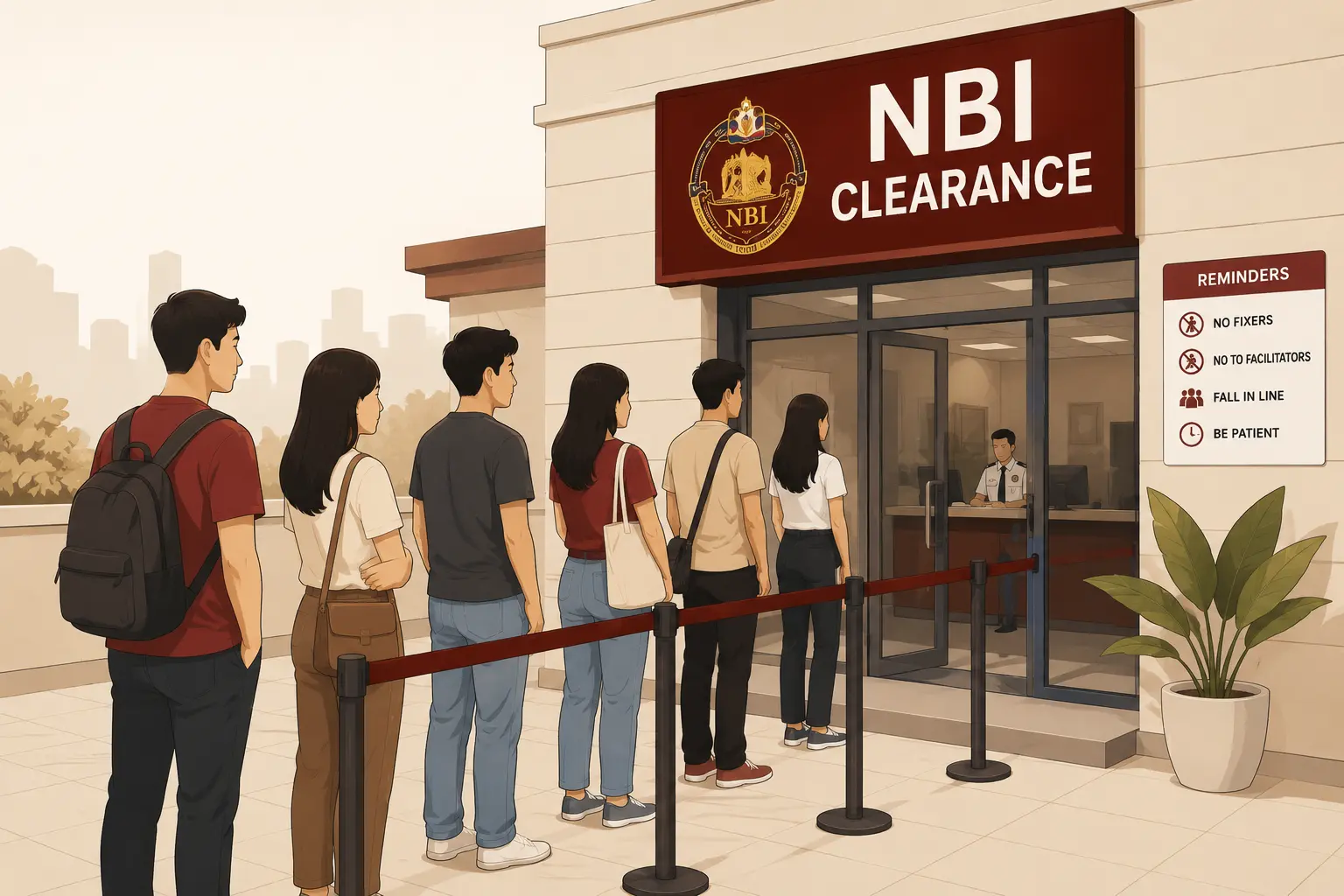
Can You Go to NBI Without an Appointment?
Walk-in applicants without an online appointment may be accommodated at some NBI branches depending on daily queue capacity and available slots.
However, this is not guaranteed. You could arrive at the NBI office and be told to come back with a proper online appointment.
The NBI strongly recommends booking online to save time and avoid long queues. Without an appointment, you are at the mercy of whatever space is left over after scheduled applicants are served. For most branches, especially in busy cities, walking in without an appointment almost always results in being turned away. Some people don’t know the difference between NBI & Police Clearance and consider both the same. However, both are totally different things.
Frequently Asked Questions
HELPFUL RESOURCES
Sources and Official Contacts
There are many NBI Clearance Centers spread around the whole Philippines. If you need to contact the NBI directly, use the following official channels.
Official Website
Visit the official NBI website for the latest updates and announcements.
NBI Clearance Center
NBI Clearance Building, United Nations Avenue, Ermita, Manila
Hotline
For inquiries and assistance, call the NBI hotline.
(02) 8524-1277
Email Support
Send your questions and concerns via email.
Official Facebook Page
Follow the National Bureau of Investigation on Facebook for updates and reminders.
Page structure redesigned 16 October 2026; content last verified 27 June 2026.